Dikora AI CoPilot

Guide intake calls in real time

Dikora supports your intake team during live calls by providing real-time prompts, scoring, and guidance.

As your team speaks with a potential client, Dikora dynamically suggests questions and evaluates responses — helping standardize intake across your team.
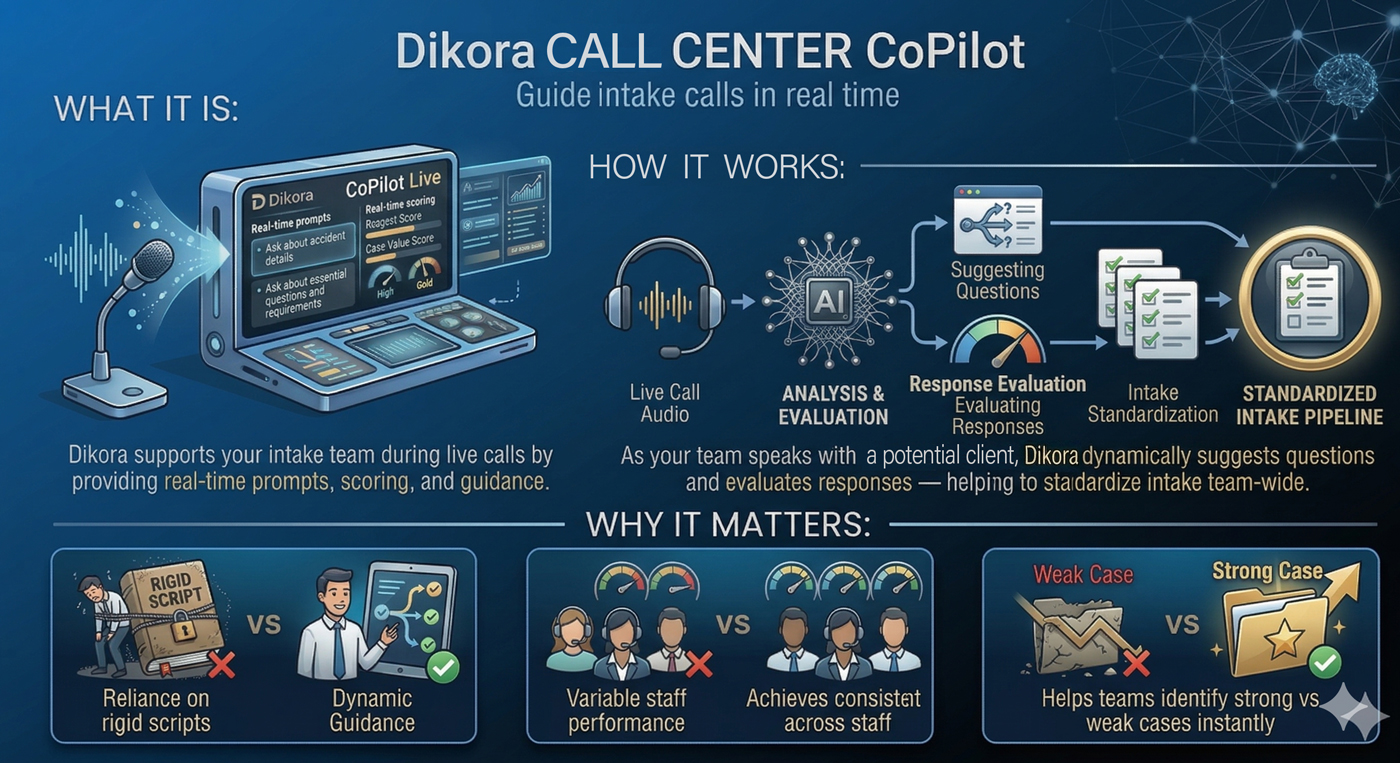

Title: Dikora Call Center CoPilot Infographic Section 1: What It Is: An illustration of a call center headset and microphone next to a "CoPilot Live" tablet interface. The tablet displays "Real-time prompts" (e.g., "Ask about accident details") and "Real-time scoring" for case value, showing a "Gold" status. Section 2: How It Works: A technical flowchart showing: Live Call Audio: Represented by a headset icon feeding into an AI "Analysis & Evaluation" brain. Suggesting Questions: The AI generates dynamic questions based on the conversation. Response Evaluation: A gauge evaluates the quality of the caller's answers in real time. Standardized Intake Pipeline: The process ends with a "Standardized Intake" clipboard, showing a uniform data file. Section 3: Why It Matters: Three "VS" comparison panels: Rigid Script vs. Dynamic Guidance: A frustrated agent locked behind a "Rigid Script" box versus a happy agent using a tablet with flexible, AI-driven prompts. Variable Staff Performance vs. Consistency: Three agents with different performance levels (represented by red and yellow gauges) compared to a team with uniform high-performance (green gauges). Weak Case vs. Strong Case: A torn "Weak Case" folder with a red 'X' contrasted with a "Strong Case" gold folder with a star and a green checkmark, showing instant case identification.

Request Your Free Demo Today

Experience how our AI-powered solutions can enhance your firm’s efficiency. Schedule your personalized demo to see it in action.

By requesting a demo, you agree to our Terms and Conditions.